WhatsApp Webhook Setup Guide
WireWeb helps apps receive WhatsApp events in real time: inbound messages, delivery status callbacks, media events, and session changes that can update CRMs, bots, queues, and automation flows.
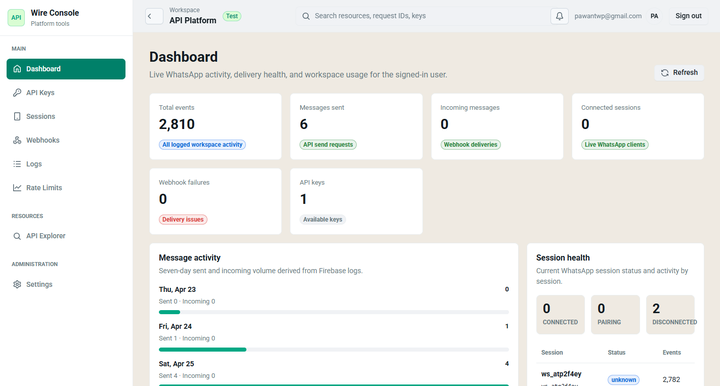
Webhook events WireWeb should send to your app
Incoming messages
Receive customer replies and route them to a bot, CRM, support queue, or internal notification channel.
Delivery statuses
Track whether outbound messages are queued, sent, delivered, read, or failed so your app can show accurate timelines.
Session health
Detect when a WhatsApp session needs attention and alert the owner before messages stop flowing.
Incoming message webhook payload
This payload is the core of most webhook-driven WhatsApp automation: customer says something, your app receives it, and the workflow decides what happens next.
{
  "event": "message.received",
  "message_id": "ww_msg_in_91a72",
  "session_id": "ww_sess_123",
  "from": "+919876543210",
  "type": "text",
  "text": "I want to reschedule my appointment",
  "timestamp": "2026-05-19T04:17:45Z",
  "contact": {
    "name": "Aarav Sharma",
    "wa_id": "919876543210"
  }
}
Delivery status callback payload
Status callbacks help you build logs, retries, customer timelines, and CRM notes without guessing what happened after your send request.
{
  "event": "message.status",
  "message_id": "ww_msg_8f3k2x9p",
  "session_id": "ww_sess_123",
  "to": "+919876543210",
  "status": "delivered",
  "timestamp": "2026-05-19T04:18:12Z"
}
Webhook implementation checklist
Backend checklist
- Create an HTTPS endpoint that accepts POST requests.
- Validate session IDs and message IDs before updating records.
- Return a fast 2xx response, then process heavier work in a queue.
- Store webhook event IDs to avoid duplicate processing.
- Log failed events with payload, response code, and retry status.
Best-fit workflows
- Support inbox assignment
- CRM lead updates
- n8n and Zapier triggers
- Chatbot handoff
- Delivery timeline tracking
FAQ for WhatsApp webhooks
Can webhooks update my CRM?
Yes. Use the phone number, session ID, and message ID to match events to CRM contacts, deals, tickets, or order records.
Can I use WireWeb webhooks with n8n?
Yes. Point your WireWeb webhook URL to an n8n webhook trigger, then continue the flow with HTTP requests, CRM nodes, filters, and notifications.
What should I do if my webhook fails?
Return fast 2xx responses when possible, log every non-2xx response, and use idempotent processing so retries do not create duplicate messages or duplicate CRM notes.