WhatsApp API for CRM
WireWeb connects WhatsApp messaging to CRM workflows so leads, follow-ups, reminders, order updates, and support replies can be automated without losing the customer context.
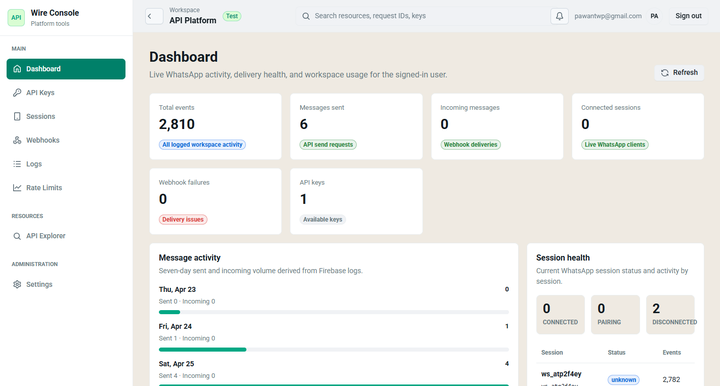
CRM workflows that convert
New lead response
Send a WhatsApp message when a new form, ad lead, or inbound inquiry enters your CRM.
Sales follow-up
Trigger reminders, quote follow-ups, demo confirmations, and payment nudges from pipeline stage changes.
Support timeline
Attach inbound replies and outbound sends to contact records so agents see the full conversation history.
Appointment reminders
Send scheduled reminders before meetings, classes, healthcare appointments, or service visits.
Order updates
Notify customers when orders are confirmed, packed, shipped, delayed, or delivered.
Reactivation campaigns
Use CRM segments to run consent-based win-back messages and service reminders.
CRM integration model
Outbound from CRM
- A CRM event fires: new lead, stage change, reminder date, or ticket update.
- Your backend, Zapier, Make, or n8n formats the message.
- WireWeb sends the WhatsApp message through the selected session.
- The response message ID is stored back on the CRM record.
Inbound to CRM
- Customer replies on WhatsApp.
- WireWeb sends a webhook event to your endpoint.
- Your workflow matches the phone number to a contact.
- The CRM record is updated or a support ticket is created.
Fields to map into your CRM
| WireWeb field | CRM field | Why it matters |
|---|---|---|
| session_id | WhatsApp number or inbox | Routes messages through the correct connected number. |
| message_id | Activity ID or external ID | Prevents duplicate notes and helps debug delivery. |
| from / to | Contact phone | Matches WhatsApp events to existing leads or customers. |
| status | Message timeline status | Shows queued, sent, delivered, read, or failed states. |
| timestamp | Activity date | Keeps customer communication timelines accurate. |
FAQ for CRM teams
Do I need developers to connect WireWeb to a CRM?
Not always. Technical teams can use the API directly, while operators can often connect CRM events through Zapier, Make, or n8n.
Can WireWeb handle incoming customer replies?
Yes. Incoming replies can be sent to your webhook endpoint, then attached to a contact, deal, ticket, or order record.
Which CRM tools can this work with?
Any CRM that can trigger webhooks, call HTTP endpoints, or connect to automation tools can be wired into WireWeb workflows.